 Jaro
Keyword research checklist
0/8Customer language written down
Go through sales call notes, support tickets and emails, and write down the exact phrases customers use for their problem. Those are your first keywords.
Searches you rank 5 to 20 for
Searches you're already close on are your quickest wins.
- Position 5 to 20
- Sorted by impressions
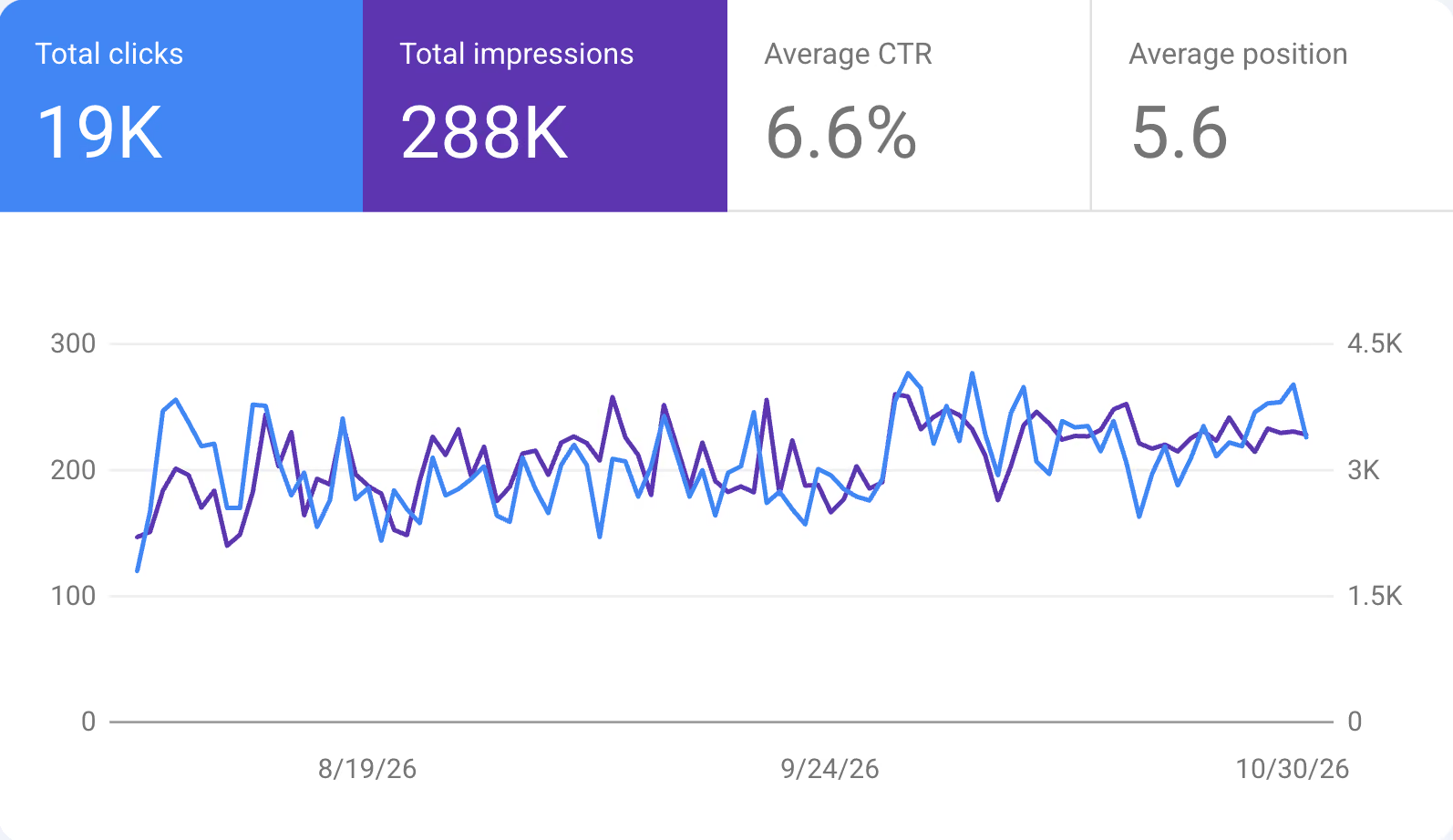
Search Console › Performance › Queries, with Average position onGoogle autocomplete and People also ask
Type your category into Google and write down the autocomplete suggestions, the People also ask questions and Related searches at the bottom.
Google's suggestions for "seo checklist for": real searches, for free. Questions from Reddit, Hacker News and G2
Search Reddit, Hacker News and G2 for your category and note how people describe the problem in their own words.
Founders on Hacker News asking about SEO in their own words. Long-tail keywords with buying intent
Fewer people search them, but they're ready to buy and you can rank for them.
- Three words or more
- They name a use, an industry or a comparison
CRM for law firmsbest CRM for a 10-person agencySearch intent matched
Google the keyword in a private window and look at the top five. Build the same kind of page: a list if they're lists, a tool if they're tools.
One page per search intent
Keep a sheet with each key page and its main keyword. Merge two pages only when they answer the same question and split the clicks between them.
SEO launch checklist
0/13Before the site goes live, and on launch day. Most new sites that get no Google traffic miss one of these.
Google Search Console connected
It's free, and it's the only place Google shows which pages it has, for which searches, and what's broken.
- Add a Domain property
- Verify it with the DNS record Google gives you
Google Search Console: free, and the only place Google shows you what it sees. Sign-ups and demo requests tracked as key events
Rankings that never turn into sign-ups aren't worth chasing, so measure the sign-up.
- A sign-up, trial or booked demo is marked as a key event
- You can see which pages bring them
GA4 › Admin › Events (Mark as key event), or PostHog › ActionsBing Webmaster Tools connected
Bing also feeds Copilot and DuckDuckGo, and the setup takes two minutes.
- Choose Import from Google Search Console
- It copies your site and sitemap
Bing Webmaster Tools, where you can import your Search Console setup. IndexNow pings Bing on every change
Bing, and through it Copilot and ChatGPT search, picks up new and changed pages within hours instead of weeks.
- Turn on IndexNow in your host or CMS (Cloudflare, Vercel, Webflow and WordPress plugins have it)
- Or submit through Bing Webmaster Tools
Valid robots.txt
One leftover line from a test site can hide every page from Google.
- No
Disallow: /underUser-agent: * - The sitemap is listed
User-agent: *
Allow: /

Sitemap: https://yourdomain.com/sitemap.xml
Our own robots.txt: every crawler allowed, three private paths blocked, and the sitemap linked at the bottom. Openyourdomain.com/robots.txt, then Search Console › Settings › robots.txt- No
XML sitemap submitted
The list of every page you want Google to find.
- It exists at
yourdomain.com/sitemap.xml - It's submitted, and the status says Success
Our sitemap: one <loc> line per page we want Google to find. - It exists at
No noindex tag on key pages
A
noindextag tells Google to ignore the page, and test sites often leave one behind.- Every key page says
Indexing allowed? Yes
<meta name="robots" content="noindex">Search Console › URL Inspection, one key page at a time- Every key page says
App, staging and preview sites kept out of Google
Your app, staging and preview sites shouldn't compete with your real pages.
- Behind a login, or with a
noindextag - Not just blocked in
robots.txt: that doesn't remove pages Google already has
Google:site:app.yourdomain.com,site:staging.yourdomain.comand your preview domain, likevercel.app- Behind a login, or with a
Domain set up with and without www
If one version of your address doesn't load or shows a certificate warning, Google and visitors hit a dead end.
yourdomain.comandwww.yourdomain.comboth point to your host, each with a valid certificate- When you move your DNS to a new provider, copy the MX and TXT records first, or email and your Search Console verification break
Open both addresses in your browser, then DNS Checker for the A and CNAME recordsOne HTTPS version of every page
Every version of your address should land on the same page.
http://,http://wwwandhttps://wwwall redirect- They end on the one https address in your sitemap
Type each version into your browser.Only if you're moving domains or redesigning
301 redirects from every old URL
Lost redirects are how relaunches lose their Google traffic.
- Every old URL listed in a sheet, with its new URL
- A
301redirect for every row - Kept for at least a year
/old-url → /new-url (301)Your sitemap and Search Console › Indexing › Pages, before the moveSeveral languages
Each language version linked with hreflang
Without it, Google may show the wrong language to a searcher, or treat translations as duplicates.
- Every language version lists all the others and itself
- An
x-defaultfor the language picker or main version
<link rel="alternate" hreflang="de" href="https://yourdomain.com/de/" />Your site name and favicon show in Google
Your name and icon show on every result, including searches for your brand.
- Results show your company name, not your domain
- Your favicon shows, not a blank globe: square, a multiple of 48px
"@type": "WebSite", "name": "[Brand]"Search your brand on Google. If it's wrong, add WebSite structured data and a square favicon.
Link building checklist
0/8Links from partners, customers and integrations
Ask partners, customers and the tools you integrate with to link to you from their partner, customer or integration pages.
Profiles on G2, Capterra and Product Hunt
Buyers go to these sites to compare and choose.
- A complete profile on each, with screenshots and reviews
- The marketplaces of every tool you integrate with
Brand mentions turned into links
Search your company name in Google or Ahrefs. Where an article mentions you without a link, ask the author to add one.
Podcast guest appearances
Pitch three podcasts your buyers listen to with one story you can tell. The show notes usually link to you.
Original research others can cite
Publish one benchmark, survey or free tool built on your own data, with one clear number others can quote. Writers link to where a number comes from, for years.
No paid links that pass ranking
Links bought to rank break Google's rules and can get your site penalized.
- Paid or sponsored links carry
rel="sponsored" - Ignore random spammy links pointing at you; Google ignores them too
Google's spam policies: buying links counts as link spam. - Paid or sponsored links carry
AI SEO checklist (2026)
0/7For ChatGPT, Perplexity and Google's AI Overviews.
AI search crawlers allowed
User-agent: *withAllow: /already lets every AI crawler in. The ones that decide whether AI search can cite you must stay allowed.OAI-SearchBot(ChatGPT search) andPerplexityBotallowed- Block
GPTBot,ClaudeBotorGoogle-Extendedonly to opt out of AI training; it doesn't affect Google Search or AI Overviews - On Cloudflare, sites added since July 2025 block AI crawlers by default: check AI Crawl Control
User-agent: * Allow: /Cloudflare › AI Crawl Control, andyourdomain.com/robots.txtSnippet controls only where you mean them
AI Overviews quote your pages the same way search snippets do.
nosnippetormax-snippetstop that, so use them only on content you don't want quoted.- No stray
nosnippeton key pages data-nosnippeton parts you want kept out, like pricing details
- No stray
Buyer prompts written down
Write down five to ten questions buyers would ask ChatGPT, like best CRM for small agencies or alternatives to HubSpot.
best [category] for [company type][Competitor] alternativesMonthly check in ChatGPT and Perplexity
See whether AI tools name you when buyers ask.
- Search on, logged out
- Note whether you're named, linked, and who's named instead
ChatGPT and Perplexity, once a monthListed on the pages AI tools cite
Open the sources under each AI answer and get on those lists and review sites.
Brand mentions across the web
Get your name into reviews, interviews, lists and forum answers. Mentions likely help AI tools name you, not only links.
AI referral traffic tracked
Visitors from AI tools are still few, so measure them before deciding how much they're worth.
- Referrers
chatgpt.com,perplexity.ai,gemini.google.com - How many of them sign up
Your analytics. Google AI Overviews and AI Mode clicks already show in Search Console under Web (Performance).- Referrers
Local SEO checklist
0/4Only if people look for you by location, like an office or a service area.
Google Business Profile
It decides whether you show up on Google Maps.
- Category, hours, services and your website
- Photos
Same name, address and phone everywhere
Write your company name, address and phone exactly the same on your site, Google profile and every directory.
LocalBusiness schema and a map
Add LocalBusiness
JSON-LDwith your address, hours and phone, and embed a map on your contact page.Google reviews, all answered
Ask every client for a Google review after a project, not only the happy ones, and reply to every review within a few days. Asking only happy clients breaks Google's review policy.
On-page SEO checklist
0/9Unique, descriptive title tag on every page
What people read before they click, so it says what the page is in your buyers' words.
- About 50 to 60 characters, so it isn't cut (Google cuts by width)
- Unique: no two pages share a title
[Brand]: [what it does] for [buyer][Category] for [buyer] | [Brand][The question, as people type it]Screaming Frog › Page Titles lists missing and duplicate onesUnique meta description
Each page has its own meta description of one or two sentences, under about 155 characters, saying what the page gives.
[What it does] for [buyer]. [Your strongest proof].[What you get], for [whom]. [One detail or a price].[The answer in one line]. [What the page covers].A clear main heading and H2s
Someone reading only the headings should understand the page.
- One H1 that matches the title's promise is a good habit (Google allows more)
- H2s that follow the questions buyers ask
H1: [The result you deliver] for [buyer]H1: [Category] for [buyer]H1: [The question, as people type it]Answer in the first paragraph
The first paragraph answers the search in one or two sentences. The details come after.
Our Lab article answers its question in the first paragraph. Image alt text and compression
Every meaningful image explains itself and loads fast.
- Alt text that says what the image shows
- AVIF or WebP, sized for the screen it shows on
PageSpeed Insights lists the images that are too big.Internal links between related pages
Add 2 to 5 links from related pages to the page you want to rank, with link text that says what it is. Every blog post links to its product page.
An internal link in context: the words say where it goes. Sources linked for every number
Every statistic links to its original source, with the year.
Every number in our Lab articles links to its source, listed at the end. Author, About page and contact details
Every article shows its author with a photo, role and short bio. The site has a real About page and a way to contact you.
The author box under our Lab articles: who wrote it and why they know.
Technical SEO checklist
0/12No manual actions in Search Console
A Google penalty outweighs everything else on this list.
- The report says No issues detected
Our Manual actions report in Search Console: No issues detected is what you want to see. Key pages indexed in Google
Every important page should be in Google; if one isn't, the reason is listed next to it.
- Fix the reason, then inspect the URL and click
Request indexingonce - Asking again doesn't speed it up
- Fix the reason, then inspect the URL and click
No soft 404s or server errors
Pages that say "not found" but return 200, or fail with a 5xx error, drop out of Google quietly.
Search Console › Indexing › Pages: Soft 404 and Server error (5xx) rows at zeroCorrect canonical tag on every page
Each page tells Google which version is the real one.
- User-declared and Google-selected canonical are the same
- Both are the page's own https URL
<link rel="canonical" href="https://yourdomain.com/page">Short, readable URLs
Readable words joined by hyphens that say what the page is.
- No long IDs or unneeded
?parameters - Don't rename a URL that already ranks
/[category]/integrations/[tool]/blog/[question-in-a-few-words]- No long IDs or unneeded
Key pages within three clicks of the homepage
Google finds pages by following links, so a page nothing links to may never be found.
- Product, pricing and use cases within three clicks of the homepage
No broken links
A dead link loses the visitor and the value of the link.
- Fix every link to a 404
- Redirect deleted pages that other sites link to
- Your 404 page links back to your main pages
Screaming Frog (free up to 500 URLs) › Response Codes › Client Error (4xx)Redirects go straight to the final page
Each old URL should reach the live page in one step.
- One
301, not a chain - No temporary
302on a page that moved for good
Screaming Frog › Reports › Redirect Chains- One
Core Web Vitals passed on mobile
Slow pages lose visitors before they read a word.
- LCP at or below 2.5 s
- INP at or below 200 ms
- CLS at or below 0.1
PageSpeed Insights on Mobile: Core Web Vitals Assessment should say PassedMobile-friendly pages
Google ranks the phone version of your site.
- Text readable without zooming
- Buttons easy to tap
- Nothing covering the content when the page opens
Our homepage on a phone: readable text, a button you can tap. Open every key page on your own phone.Content in the HTML, not loaded by JavaScript
If your text loads with JavaScript, Google may miss it and most AI crawlers will.
- Your headline is in the page source
- If not, ask your developer to render the page on the server
View Page Source on our homepage: the words are right there in the HTML. Right-click a key page › View Page Source › search for your headlineStructured data (schema markup)
Structured data tells Google who you are and what each page is.
- Organization on the homepage with your
logoandsameAslinks to your profiles, BreadcrumbList on inner pages - Article or SoftwareApplication where they fit
- It matches what's visible on the page
Rich Results Test, one page of each type- Organization on the homepage with your
B2B SaaS content checklist
0/11Category page
A page for the exact category buyers search, like invoicing software for agencies, not just the homepage.
[category] software for [buyer]invoicing software for agenciesAlternatives and comparison pages
A page for each competitor buyers compare you with. Be fair about where the competitor is better; buyers trust that.
[Competitor] alternatives[You] vs [Competitor]Use case and industry pages
One page per use case or industry you serve, with their problem in their words and a customer like them.
[category] for [industry]/for/law-firmsPricing page
Your name plus "pricing" is one of the most searched terms for any product.
- Your prices, or how pricing works if you don't list them
[Your name] pricingIntegration pages
One page per integration: what syncs and how to set it up.
/integrations/[tool][You] [tool] integrationCase studies with names and numbers
Each case study names the client, the problem, what you did and one measurable result.
Our MobiWire case study: the client's name, what we did and one number up front. Your own data and examples on key pages
Every key page has something only you have: your own data, screenshots, or a customer example.
No mass-produced pages
AI-written content is fine when it helps people. Hundreds of near-identical pages made to rank break Google's spam policy on scaled content.
- Each page answers its own question with something specific
- No templated city or keyword pages with swapped words
Help and API docs public and linked
Keep help and API docs open to crawlers and link them from the main site. Buyers and AI tools read them to check what your product actually does.
Guides on your buyers' problems
Guides only on problems your product solves, written for the people who'd buy it, and linked to each other and to the product page. Skip broad topics.
how to [solve the problem your product solves]Short paragraphs, subheadings and a contents list
Paragraphs of three or four lines, a subheading every few paragraphs, lists and tables where they help, and a contents list with jump links on long pages.
Short paragraphs and clear subheadings in one of our Lab articles.
SEO maintenance checklist
0/5Fifteen minutes a month keeps the rest of the list working.
Monthly Search Console review
Fifteen minutes a month catches most drops within weeks.
- Performance: the last 3 months against the 3 before
- Indexing › Pages: new errors
- Links: new sites linking to you
Titles rewritten on low-CTR pages
These pages already rank, so a better title is the cheapest traffic you have.
- Many impressions, low CTR
- Rewrite the title, then watch the CTR for four weeks
Search Console › Performance › Pages, sorted by impressions, CTR onSlipping pages updated
When a page loses clicks, add new information and examples, then
Request indexing. A new date alone isn't an update.Thin and outdated pages merged or removed
Merge thin, outdated or duplicate pages into a stronger one with a
301redirect. Zero impressions alone isn't a reason: docs, legal and support pages often get none.Non-brand clicks tracked
Brand searches come from elsewhere; non-brand clicks are what SEO earned you. Search Console splits them for you.
Search Console › Performance › the Branded / Non-branded filter. On a URL-prefix property without it, filter Query: does not contain [your brand].
On this page
- 01What is SEO, in plain words?
- 02Why does a tech startup need it?
- 03Why not just pay for ads?
- 04How does Google decide who ranks?
- 05Where should you start?
- 06What matters most for a young startup site?
- 07How long until it works?
- 08How do you know it’s working?
- 09What should a tech startup’s SEO checklist leave out?
- 10When should you get help?
- 11Questions founders ask
- 12Other free tools
What is SEO, in plain words?
SEO is getting your pages shown when someone searches Google for what you sell, and getting them clicked. Nobody pays per visit. A page that ranks keeps bringing people in, month after month.
Why does a tech startup need it?
Because your buyers search before they talk to anyone. They type the problem, your category and your competitors’ names, and they make a shortlist from what they find. If you’re not there, you’re not on it.
Take one search, “invoicing software for agencies”, typed 1,000 times a month:
| Where your page is | Visits a month |
|---|---|
| Not in Google at all | 0 |
| On page two | almost none |
| Position 8 | about 30 |
| Position 1 | about 250 |
Same page, same search. The position decides almost everything.
Why not just pay for ads?
You can, and for a while you should. But ads stop the day you stop paying, and every click costs the same in month twelve as in month one. A page that ranks gets cheaper over time. Most startups use ads to learn what converts, and SEO to stop renting that traffic.
How does Google decide who ranks?
In four steps, and a page has to pass each one:
- Find it. Google has to reach the page, through links and your sitemap.
- Keep it. It has to decide the page is worth indexing.
- Choose it. It has to judge the page answers the search better than the others.
- Get the click. The title has to make people pick you.
A page that fails step 2 gets zero visits, however good it is. That’s why the order of the work matters more than the amount.
Where should you start?
With what to rank for, not with technical tweaks. Write down the searches your buyers type, then make one page answer each of them well. That’s the first two groups of the checklist: keyword research and on-page. The launch and technical groups make sure Google can find and keep those pages.
What matters most for a young startup site?
A handful of pages aimed at the right searches:
- A page for what you are, named the way buyers search it
- A pricing page
- Comparison pages against the tools people weigh you against
- One page per use case or industry
A site with ten of those beats a blog with a hundred general posts.
How long until it works?
Weeks for Google to find and keep new pages, months for them to rank. Specific searches move first, broad ones last. If nothing changes after three months, the problem is usually an earlier step: a page Google never kept, or one that answers a different question than the search asks.
How do you know it’s working?
Look at clicks from searches that don’t include your name, in Search Console, month over month. Clicks on your name come from people who already knew you; the rest is what SEO earned. Then follow those visitors to a sign-up or a booked call, because traffic that never converts isn’t worth ranking for.
What should a tech startup’s SEO checklist leave out?
Keyword density targets, word counts, meta keywords, llms.txt, disavow files and bought links. None of them move rankings in 2026, and the last can get you penalized. A short list done well beats a long one skimmed.
When should you get help?
When the technical part is fine and you’re still not showing up, the gap is usually the pages themselves: which searches to go after and what to build for each. That’s the part worth paying for. Most of the checklist you can do yourself in an afternoon.
Questions founders ask
01Why is my website not showing up on Google?
Usually one of the first two gates is closed. Either Google can't reach the pages (a robots.txt block, no links to them, server errors) or it reached them and didn't keep them (a leftover noindex, duplicate versions, a manual action). Search site:yourdomain.com to see what Google kept, then run URL Inspection on your home page in Search Console: it says whether the page is on Google and, if not, why. A brand-new site can take a few days to a few weeks to be crawled.
02How do I do SEO for my website, step by step?
Work through the four gates in order and stop at the first one that's closed. First make sure Google can find your pages (Search Console set up, robots.txt not blocking, a sitemap), then that it keeps them (no leftover noindex, one https version, key pages indexed). Then give it a page for each search your buyers type (category, alternatives, use case, pricing) and earn links from sites they trust. Last, write titles that make people click. Work on a later gate does little while an earlier one is closed.
03How long does SEO take to work for a new website?
Indexing takes days to weeks; ranking takes months. Google says crawling a new page can take a few days to a few weeks. In Ahrefs' study, updated May 2025, only 1.74% of new pages reached the top 10 within a year. Long, specific B2B searches ('[category] for [industry]') move faster than broad ones, so measure non-brand impressions in Search Console month over month rather than waiting for a top spot.
04How do I get my website on the first page of Google?
Pick searches where you can be the best answer, then make the page Google already prefers for them. Search the term in a private window: if the top results are comparison lists, a product page won't get in. B2B sites usually win first with long, specific searches buyers type close to a decision, like '[competitor] alternatives' or '[category] for [industry]', plus links from partners, customers and press. Page two gets under 1% of clicks in Backlinko's data, so the first page is where the traffic is.
05What SEO does a B2B SaaS startup actually need?
Less than the 50-item checklists suggest. Get the technical basics right once (Search Console, indexing, one https version, fast pages), then build the pages buyers search before they buy: a category page, alternatives and vs pages, use case or integration pages and pricing. In a Grow and Convert case example from one SaaS client, pages for buyers' pain-point searches converted 0.3% to 4.3% of readers, general blog posts 0.03% to 0.19%. Most early-stage B2B traffic that turns into demos comes from a handful of such pages, not from volume.
06Is SEO worth it for a small B2B company?
Yes, if buyers search for what you sell and you can wait months for it to pay off. It's free traffic once a page ranks, and it keeps coming without ad spend. It isn't worth it for a category nobody searches yet, or if you need leads this month: ads or outbound are faster there. Set aside a few hours a month for the gates that are closed rather than a big one-off project; this checklist puts them in the order to do them.
07Is there an SEO checklist template I can keep?
This page is one. Every check is on it, grouped as technical, on-page, content, links, AI search and local SEO. Tick them off as you go: your ticks stay in this browser, so the list is where you left it when you come back. Nothing you tick is sent anywhere.
08Will a redesign or domain move hurt my rankings?
It can, and usually because of URLs, not design. Map every old URL to its closest new page before launch, use one-hop 301 redirects, keep them at least a year, and watch Search Console for 404s. Google says a medium site takes a few weeks or more to settle. In SALT.agency's 2026 sample of 1,052 domain moves, the median took 304 days to recover its traffic.
Sources (16)
- Google Search Central: In-depth guide to how Google Search worksThree stages: crawling, indexing and serving, none of them guaranteed
- Google Search Central: Ask Google to recrawl your URLsCrawling takes a few days to a few weeks; asking again doesn't speed it up
- Google Search Central: Spam policiesBought links and link schemes break the rules and can earn a manual action
- Google Search Central: Site moves with URL changesRedirect mapping, keeping redirects a year, Change of Address
- Google Search Central: SEO Starter GuideWhat Google uses and the myths it rules out
- Search Console Help: Page indexing reportWhat each status means and which ones to ignore
- web.dev: Web VitalsLCP, INP and CLS thresholds at the 75th percentile of page loads
- Ahrefs: How long does it take to rank in Google?1M new URLs from September 2023, published May 2025: 1.74% reached the top 10 within a year; 6.11% of 2M English pages with content from October 2023
- Ahrefs: 96.55% of pages get no traffic from GoogleAbout 14 billion pages, December 2023: no demand, no links, wrong intent
- Ahrefs: Why is my website not showing up on Google?Eight common causes, from indexing to intent, 2020
- Backlinko: Google organic click-through rates4M results, 12.2M queries, 2019 data, updated April 2025: #1 27.6%, about ten times the #10 result, page two 0.63%
- Grow and Convert: Pain point SEOOne SaaS client's blog posts, case example, updated March 2026: pain-point pages 0.3% to 4.3% of readers, top-of-funnel posts 0.03% to 0.19%
- SALT.agency: domain migration recovery1,052 domain moves, 2026; agency and crowdsourced sample; median 304 days
- Backlinko: SEO checklist48 checks in 7 topic sections, updated October 2026; what ranks for 'seo checklist'
- Semrush: SEO checklist43 tasks in 6 sections, October 2026
- Ahrefs: SEO checklist50+ tasks with a Sheets template, 2023